The restoration gallery · 6 real examples

Photo restoration.
Before & after.

What can AI photo restoration actually change?

It can reduce visible scratches and color casts, make detail appear clearer, and add color. It can also invent detail. These real ImageRestoreAI outputs show both the changes and the limits, alongside their original uploads.

Reviewed by the ImageRestoreAI team ·

Start with your own photograph and compare the result closely. A clearer image is not a guarantee of a faithful likeness or historically accurate color.

Try your photo ↗

Scratches & cracks

Visible lines and broken print surfaces, from a fine scratch to branching cracks.

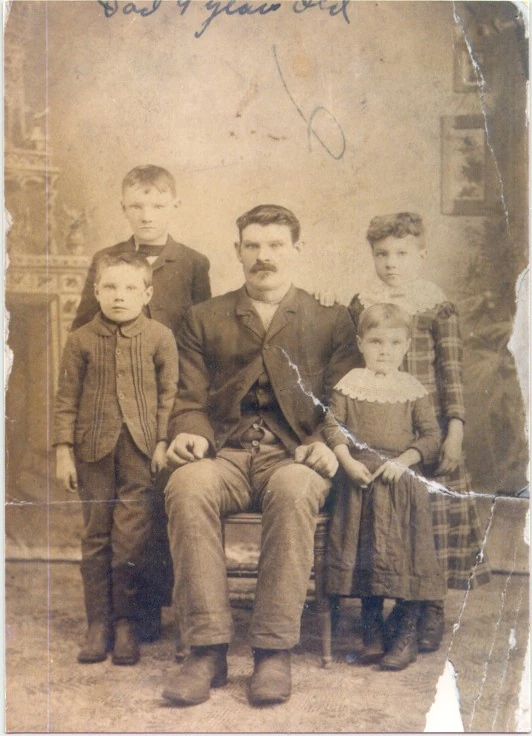
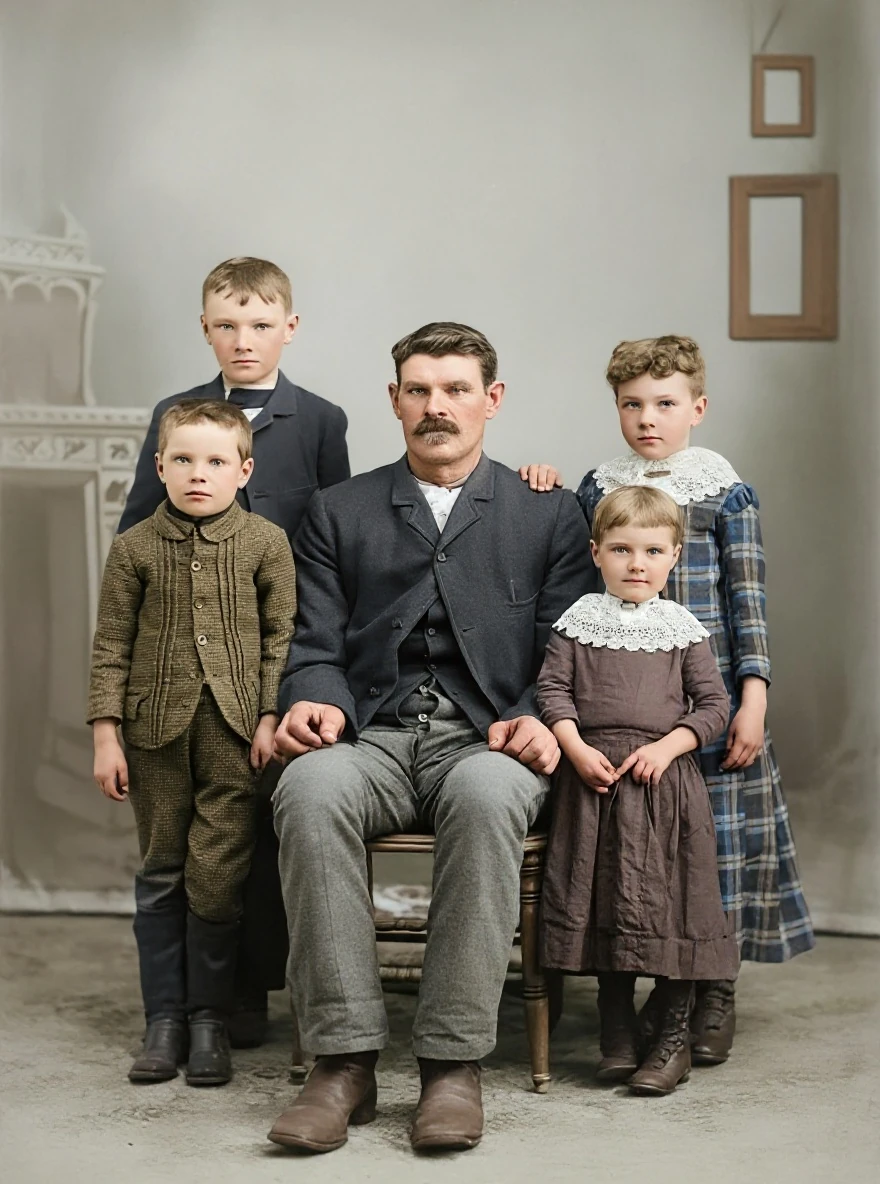
Scratched sepia studio portrait
BeforeOriginal upload
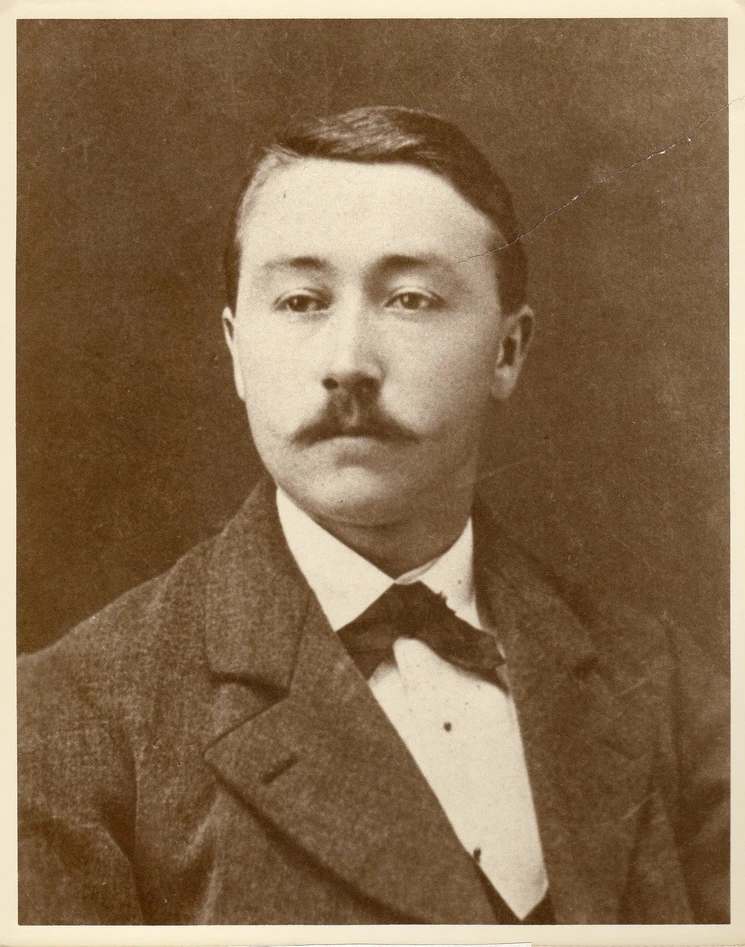
Sepia studio portrait of a mustached man, with surface marks and a diagonal scratch.
AfterAI result
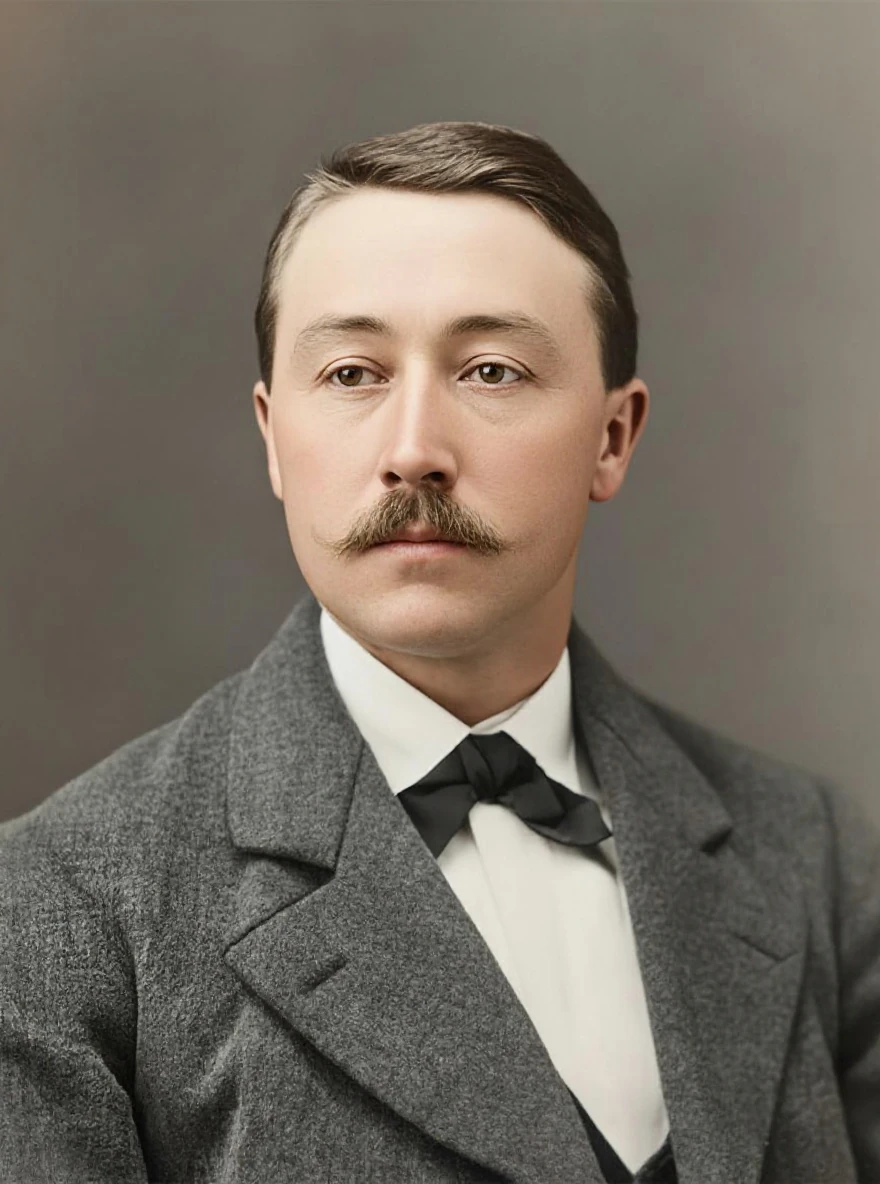
AI-restored version of the studio portrait with a smoother background, more defined hair and jacket, and added skin tones.

The original has a sepia cast, fine surface marks and a diagonal scratch across the upper right. The AI result smooths the background and makes the hair and jacket appear more defined, while also introducing skin tones and changing fine facial detail.

What to keep in mindThe output adds color and reconstructs fine facial detail. It does not establish the original colors or guarantee an unchanged likeness.
Cracks across a portrait print

BeforeOriginal upload
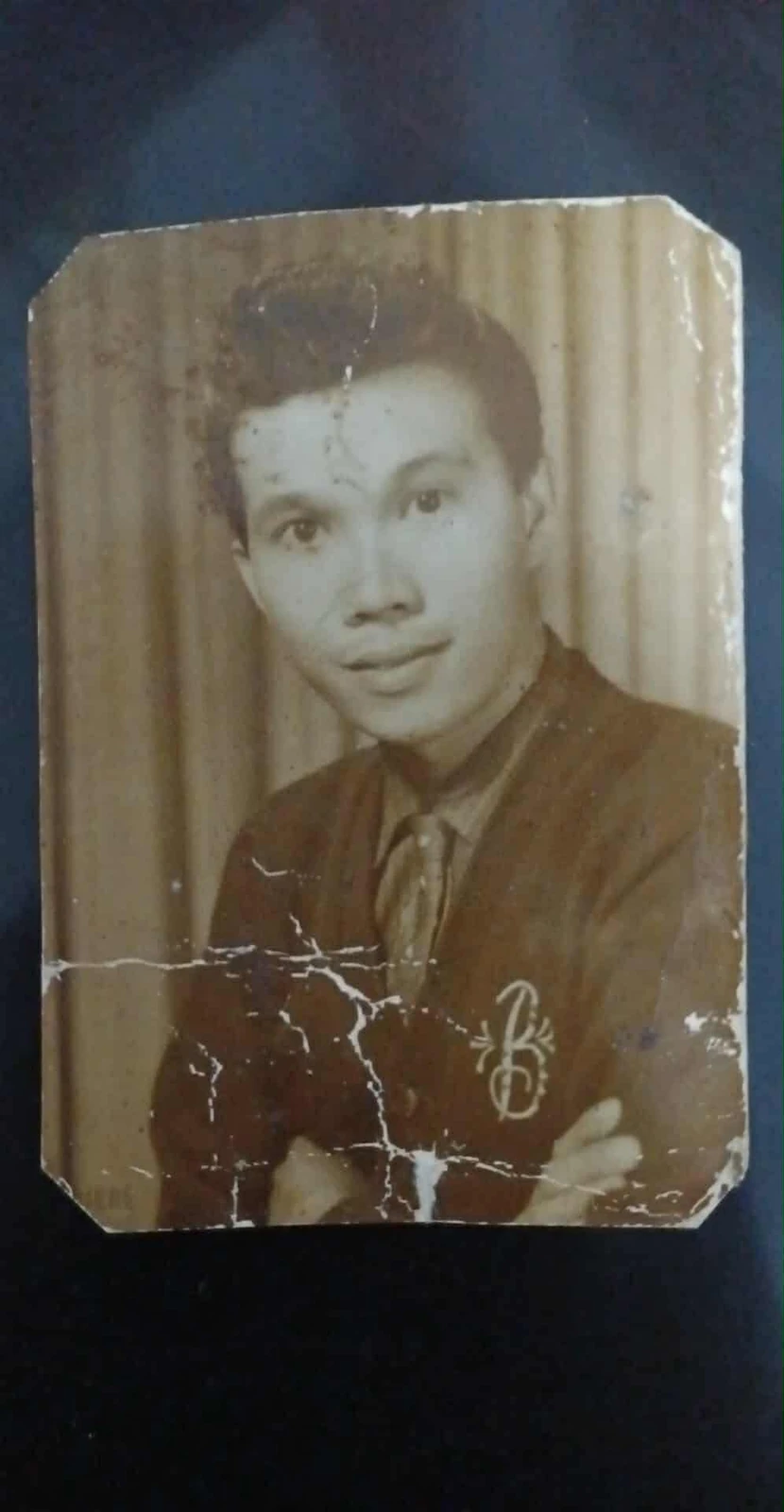
Portrait print on dark backing with branching white cracks across a cardigan and folded arms, plus worn edges.
AfterAI result
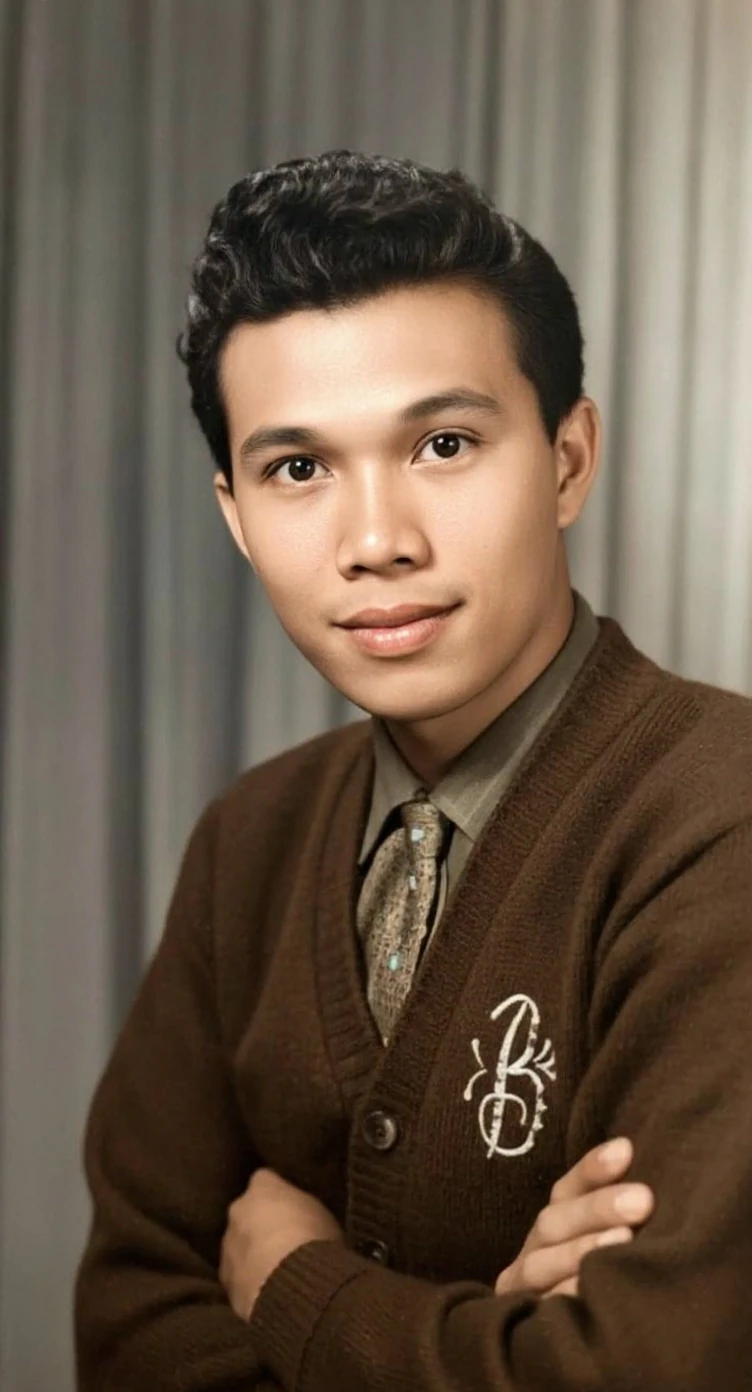
AI-restored color portrait with continuous cardigan and hand detail where the original print was cracked.

Bright branching cracks cross the lower half of this portrait, interrupting the cardigan and folded arms. The AI result replaces those broken areas with continuous fabric and skin detail and adds color. The worn print outline and surrounding dark backing are absent from the result.

What to keep in mindThe repaired fabric, hands, colors and fine facial detail are inferred. The output also changes the framing; it does not reproduce the original print border.

Creases & abrasion

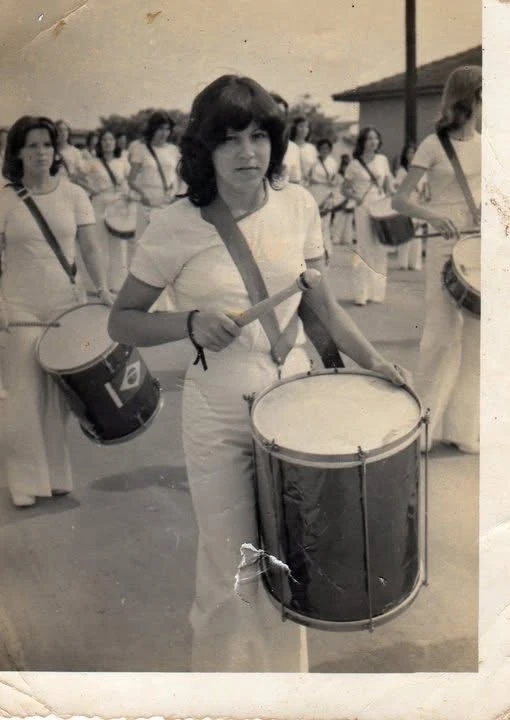
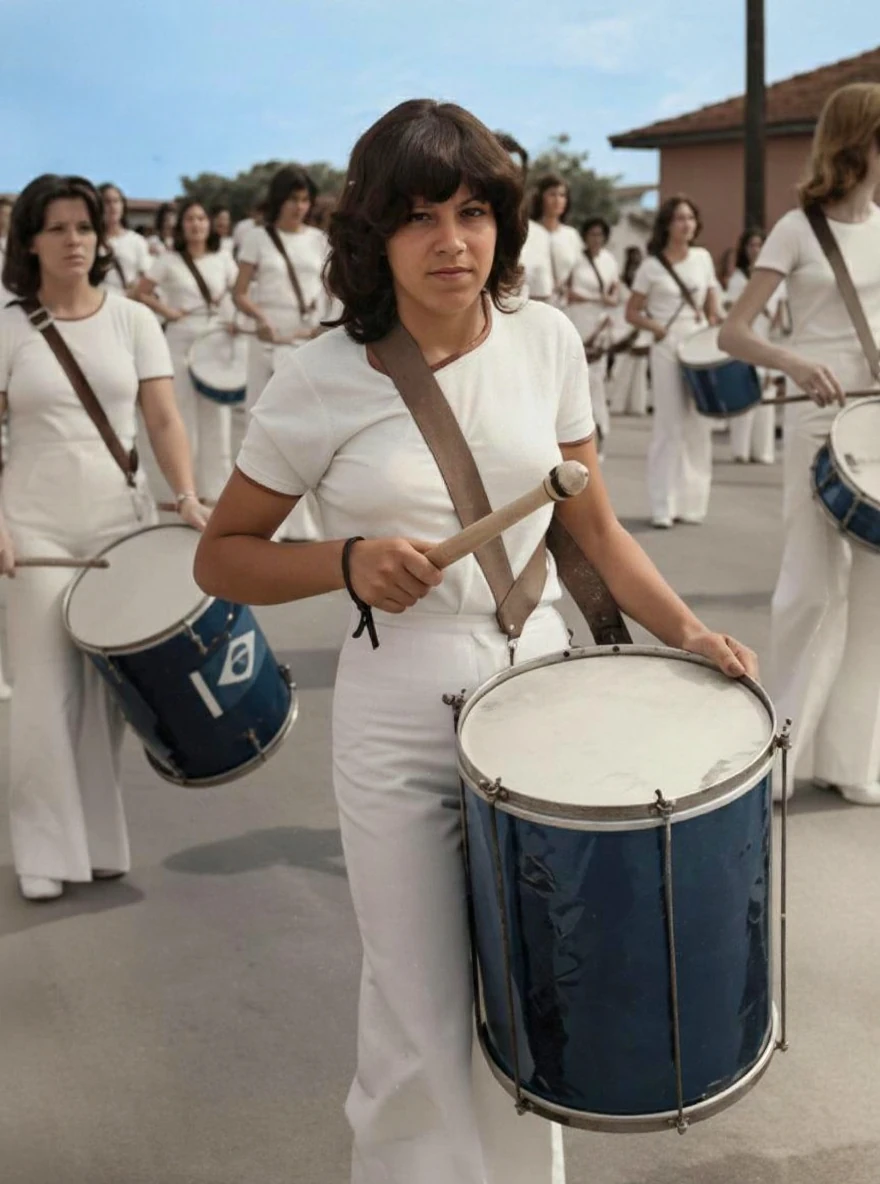
Folded print corners and a damaged patch beside a drum.

Creases and abrasion in a drummer photograph

BeforeOriginal upload
Monochrome photograph of drummers with folded corners, a pale worn border and a damaged patch beside the foreground drum.
AfterAI result
AI-restored color photograph of drummers with a continuous trouser and drum area where the print was damaged.

The original has folded corners, marks along its pale border and a conspicuous damaged patch beside the foreground drum. These marks are no longer visible in the AI result, which adds color and makes the clothing and drums appear clearer. The original print border is not retained in the output.

What to keep in mindColors, facial features, drum details and small background elements are reconstructed. Border removal is a change in the product output, not proof that the paper itself was repaired.

Tears & missing edges

A tear and missing image area that the model reconstructs.

A torn edge in a group portrait

BeforeOriginal upload
Sepia group portrait with a diagonal tear across the right side, handwritten marks and a missing area at the lower edge.
AfterAI result
AI-restored color group portrait with filled-in clothing and floor detail where the original had a tear and missing lower edge.

A pale tear runs diagonally through the right side of this group portrait, with a missing white area at the lower edge. The AI result fills these gaps and adds color, while also rebuilding faces, clothing and the studio background. Handwritten marks visible on the original are absent from the result.

What to keep in mindMissing areas, faces, colors and background details are inferred. No identities, relationships, dates or historical accuracy have been established. Keep the original to preserve its handwritten information.

Fading & color casts

A strong warm cast and soft detail in an existing color photograph.

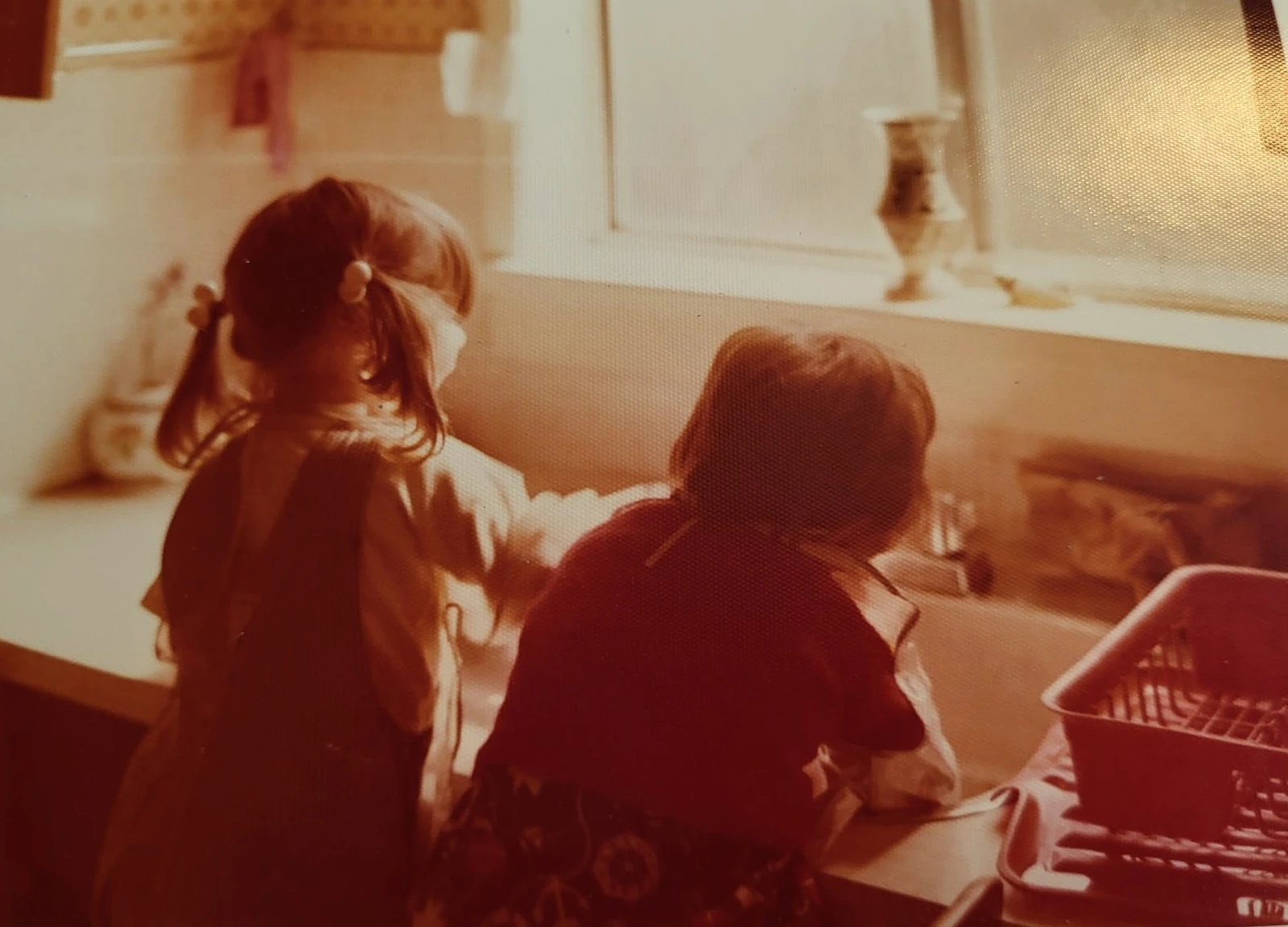
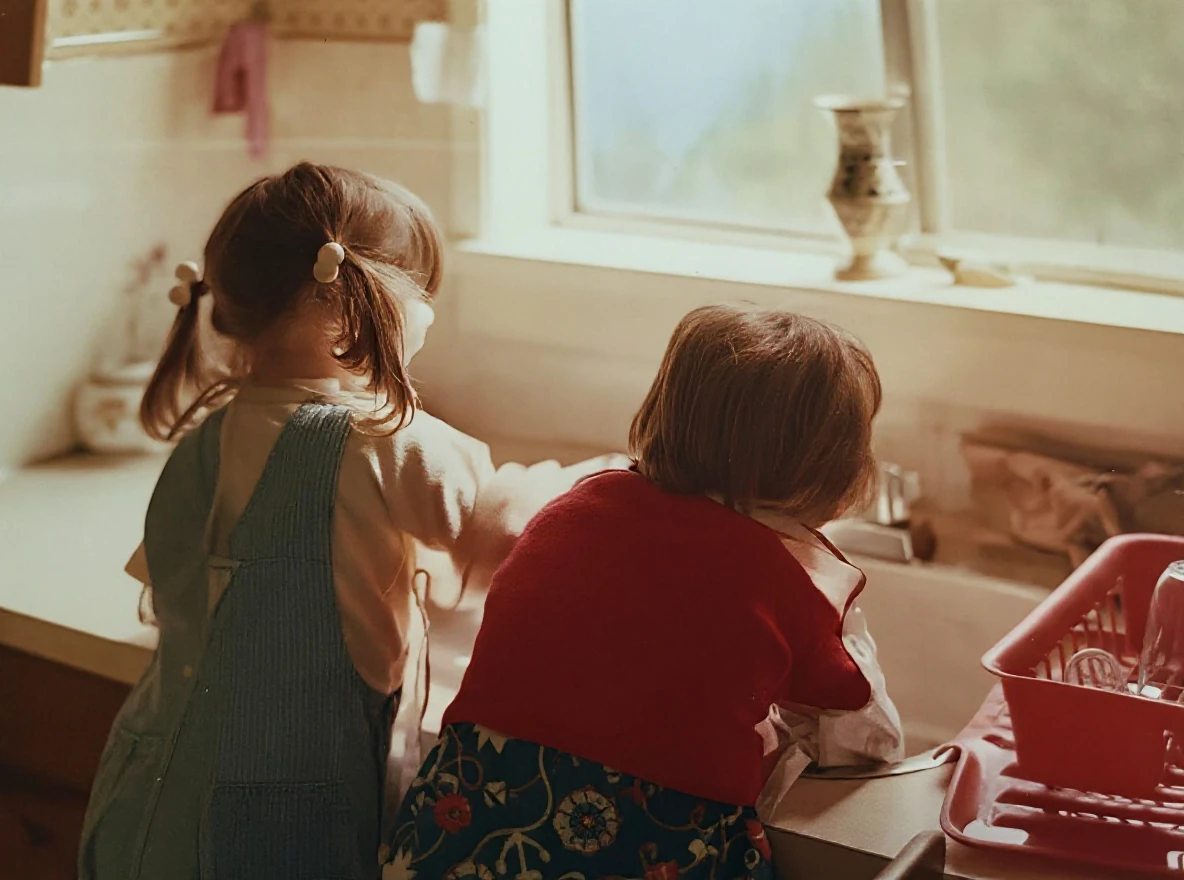
Warm-tinted kitchen photograph

BeforeOriginal upload
Warm orange-red photograph of two children at a kitchen sink, with soft detail and visible print texture.
AfterAI result
AI-restored kitchen photograph with a reduced orange cast and more distinct hair, clothing and window-frame detail.

A strong orange-red cast and visible print texture obscure this photograph of two children at a kitchen sink. The AI result reduces the warm cast and makes hair, clothing and the window frame appear clearer; the new colors and fine textures are an AI interpretation.

What to keep in mindThe colors and fabric textures are inferred. They may differ from the original scene.

Black-and-white colorization

Adding inferred color is an editing choice, not repair of a defect in black-and-white photography.

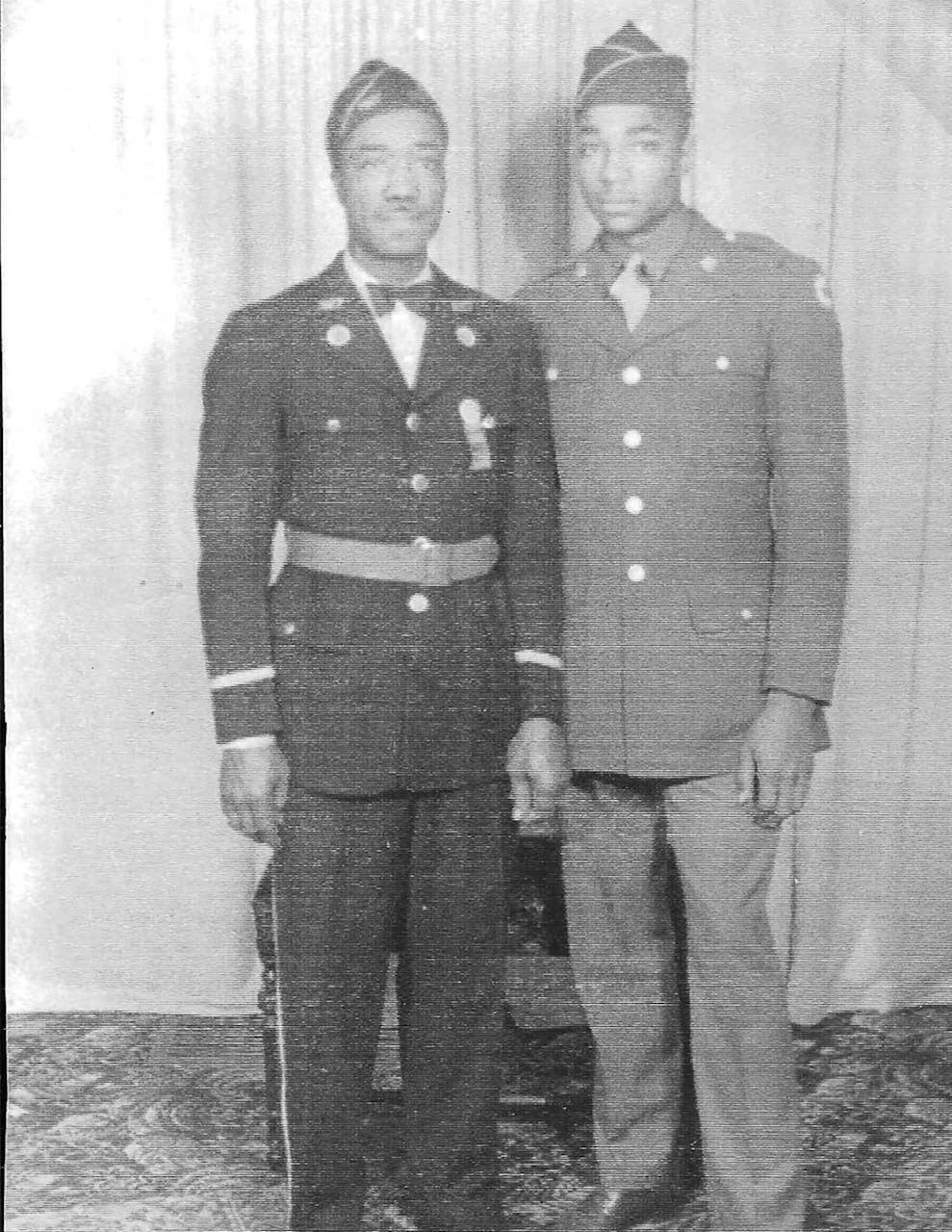
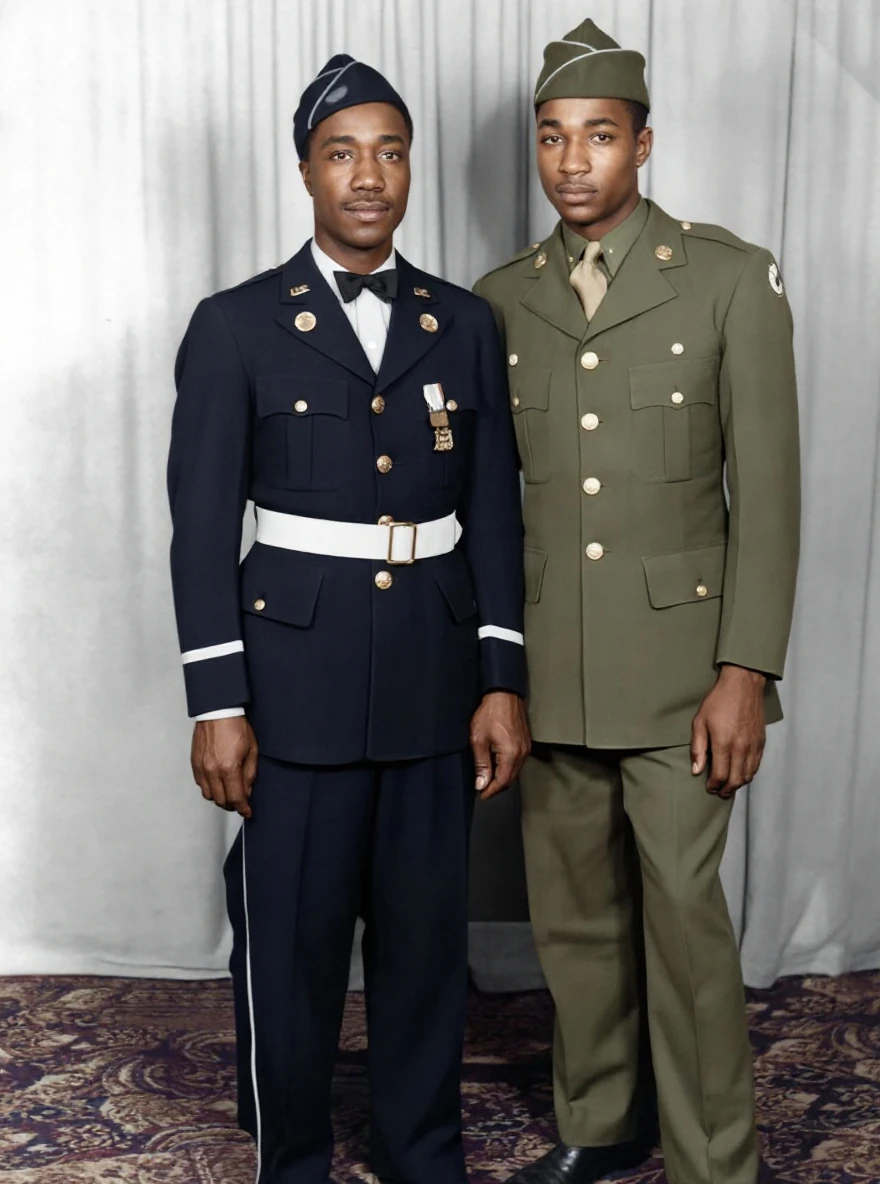
Faded portrait with AI colorization

BeforeOriginal upload
Faded black-and-white full-length portrait of two uniformed men against a curtain.
AfterAI result
AI-colorized portrait of the same two men, with dark blue and olive uniforms and more defined facial detail.

The original black-and-white portrait has faded contrast and a pronounced surface texture. The AI result adds color and makes the faces and uniforms appear more defined. Uniform colors, insignia and other fine details should be treated as AI interpretation, not verified historical evidence.

What to keep in mindColors, insignia and facial details are inferred. They are not verified historical evidence.

About these examples

Real outputs. Room for judgment.

Our team reviewed each original and its existing restoration, then checked the images prepared for this page. Publication permission was confirmed for these photos. They are selected examples, not a success-rate study.

Each gallery copy retains the full framing and aspect ratio of its source file. Some product outputs remove borders or change the composition; the captions point this out. The gallery copies were converted to WebP without additional retouching. Colors, faces, clothing and small objects can change; keep the original and check details that matter to you.

Choose guidance for the photograph you want to preserve.

Damage is only part of the decision. A uniformed portrait, a group photograph or an image kept in remembrance can make different details important. Explore the photo restoration themes for a starting point.

A little preparation makes comparison easier.

See what changes in your photograph.

Upload a digital copy. Compare the result with the original, paying attention to faces, colors and any details you want to preserve.

Upload your photo ↗