Best Photo Restoration Service: AI, Human Editing or Conservation?
Updated
Choose a photo restoration service by damage, review needs and intended use. Compare AI previews, human retouching and physical conservation.
Upload Your Photo To Restore NOW – FREE Preview
Drag & drop or click to select • JPG, PNG, WebP, HEIC
FREE Preview • Review your result before purchasing
The best photo restoration service depends on what you need to save: the appearance of a digital copy, specific details in the picture, or the physical photograph itself. Start with an AI preview if you want to assess a digital result yourself. Consider a human retoucher when the job needs instructions and revisions. Seek a photograph conservator when the original object needs treatment.
Publisher disclosure: ImageRestoreAI publishes this guide and sells restoration services. We reviewed official provider information on September 16, 2026; we did not place comparison orders or run a hands-on competitor test. Recommendations below concern workflow fit, not measured superiority. Our selected customer example is our own work, not a benchmark.
Match the service to the job
- A faded family snapshot for sharing: try a digital preview, then inspect every face and the whole frame before paying for access to the result.
- A portrait with damage through an eye or mouth: ask a retoucher to assess the surviving detail and any reference photographs. Specify which features must remain unchanged.
- A missing section: ask what can be supported by the source and what would be invented. A convincing replacement is not proof of the missing scene.
- An album page stuck to a photograph, flaking surface or deteriorating original: arrange conservation advice before attempting removal or repair. A digital restoration order does not treat the physical object.
- An image you want to edit repeatedly yourself: consider an editor with local controls and a saved editing history.
The Library of Congress photograph care guidance, checked September 16, 2026, distinguishes preventive care from conservation treatment and points readers to a specialist directory. Do not assume a company advertising digital photo restoration provides conservation.
Services to consider, by workflow
ImageRestoreAI: assess an AI result before buying access
Our workflow offers a free preview and paid access. It suits a buyer willing to compare the result with the source and reject changes they do not want. It is less suitable as the sole review process when likeness, lettering or historical detail must be justified. See the AI tools guide for functional alternatives.
MemoryCherish: commission a human-directed restoration
MemoryCherish describes an artist-led service with revisions. Its terms acknowledge interpretive reconstruction and colorization. Consider this route when a written brief and discussion of corrections matter; confirm that the proposed work meets your needs. Sources checked September 16, 2026: service page and terms. Our dedicated MemoryCherish comparison explains what to ask before ordering.
FixThePhoto: specify a retouching task
FixThePhoto lists digital repair for scratches, tears, missing portions and other damage, with service categories and starting prices. A useful next step is an image-specific scope: identify the damaged regions and ask which work the quote includes. Its list of services is not evidence that every source is repairable. Source checked September 16, 2026: official restoration services.
InstaRestoration: request a quote before deciding
InstaRestoration invites buyers to upload a damaged photograph for a free quote before placing an order. Its services page separates restoration options. This offers a way to discuss the image first; confirm deliverables, revision arrangements and payment conditions in your quote. Sources checked September 16, 2026: official overview and services.
A photograph conservator: care for the original
This is a different purchase from digital retouching. Ask about experience with your photographic material, an assessment before treatment and documentation of any intervention. If a digital copy is also needed, agree how it will be made without placing the original at unnecessary risk.
Use an example to define your acceptance criteria
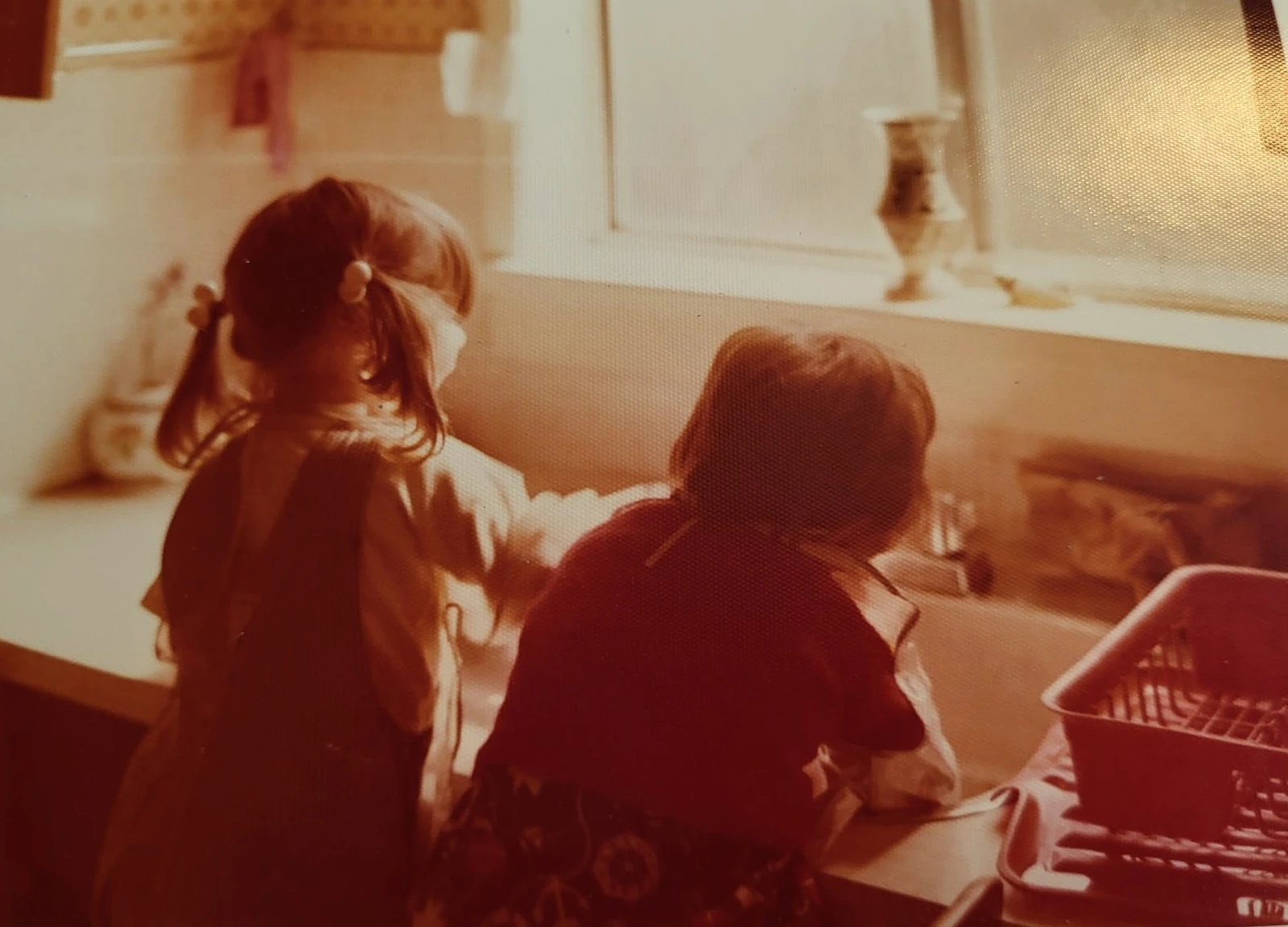
Original scan
AI restoration
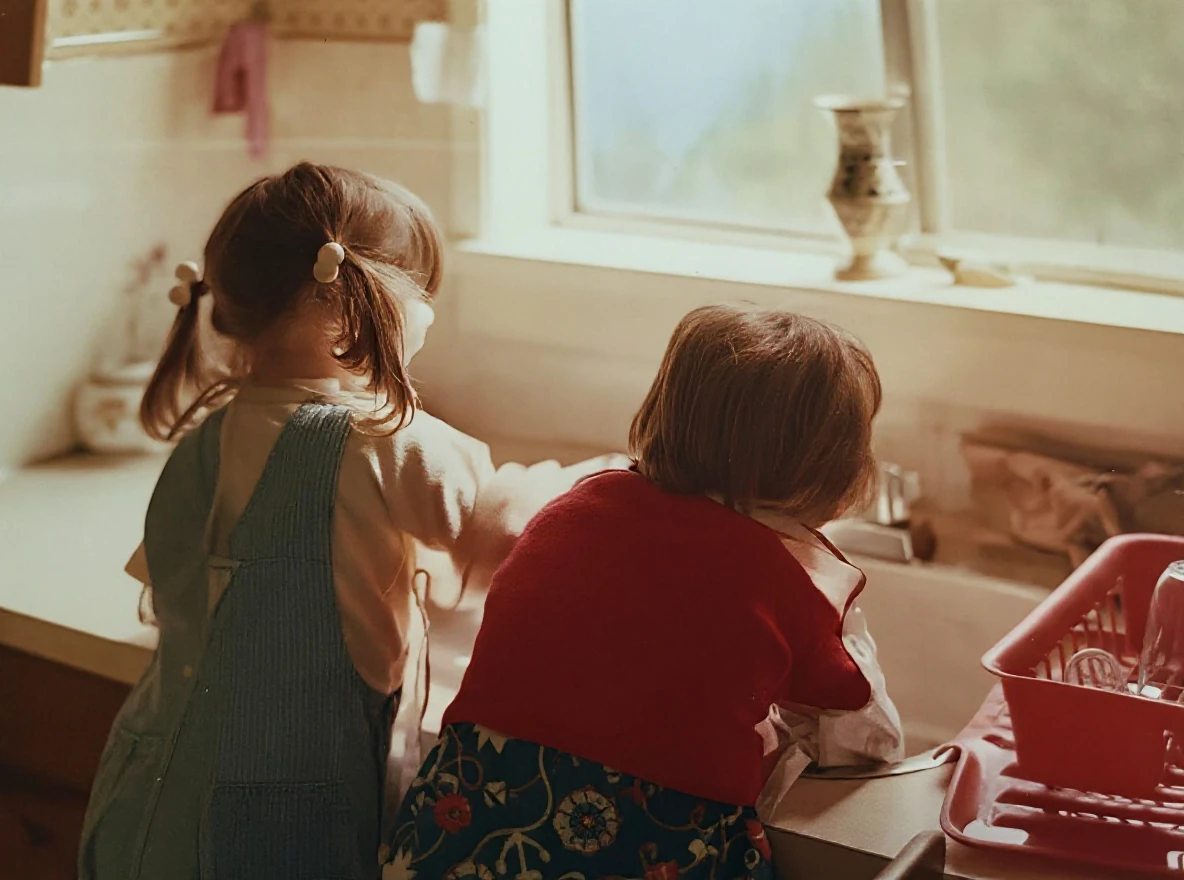
Warm-tinted kitchen photograph · Real customer example
A strong orange-red cast and visible print texture obscure this photograph of two children at a kitchen sink. The AI result reduces the warm cast and makes hair, clothing and the window frame appear clearer; the new colors and fine textures are an AI interpretation.
What to check: The colors and fabric textures are inferred. They may differ from the original scene.
Published with permission. Full framing retained; original and result may have different proportions. Reviewed September 10, 2026.
See the reviewed gallery and more damage types →This ImageRestoreAI result reduces the strong warm cast and makes some details appear clearer. Its colors and fabric textures are inferred, not verified recovery of the scene. A buyer seeking an appealing display copy may assess it differently from someone documenting an original garment. The example does not show how another provider would handle this photograph.
Write down your goal before viewing any provider's gallery: preserve monochrome, keep the print border, retain handwriting, avoid changing facial features, or prepare a display crop. Those requirements make a quote and preview easier to judge.
Compare the complete purchase
ImageRestoreAI's visible photo-credit packs were checked on September 16, 2026: 3 credits for US$5.99, 10 for US$9.99, and 50 for US$29.99. These are nonrecurring credit packs. A bundle total is not a separately available single-photo price. Review the current pricing page and the final checkout amount before purchasing.
For every provider, check the cost of the work you actually need, including any scanning, interpretation of missing areas, revisions, digital delivery, prints or shipping. Provider starting prices are not an image-specific quotation. For software, check the plan term and renewal conditions as well as the headline amount.
Before paying, confirm:
- What result and file access are included, and what the preview lets you inspect.
- Which corrections count as revisions and what happens if the result remains unsuitable.
- Whether the delivery date leaves time for your review and any printing.
- How uploads, retention, deletion and publication permissions are handled.
- Whether you can keep an untouched source alongside the edited file.
For difficult images, use the professional restoration decision checklist. If you want to perform local corrections yourself, read AI restoration versus Photoshop. The photo restoration comparison hub connects these decisions. When a digital preview fits your needs, try your own photo and review the result before buying access.
Ready to try it yourself?
Upload your photo for a free preview. Compare faces, colors and detail before purchasing.
Upload Your Photo To Restore NOW – FREE Preview
Drag & drop or click to select • JPG, PNG, WebP, HEIC
FREE Preview • Review your result before purchasing