I want to see whether AI can repair my photo
Start with a preview. Inspect faces, edges and writing before deciding whether the result is worth purchasing.
How ImageRestoreAI works →A clearer way to choose
Compare photo restoration services by the damage they need to address, the control you want and what you can inspect before paying. An AI preview, a photo editor and a human retoucher solve different parts of the job.
Start with a preview. Inspect faces, edges and writing before deciding whether the result is worth purchasing.
How ImageRestoreAI works →Compare a selective editing workflow with a retoucher who can follow a written brief and discuss revisions.
Compare editing approaches →Test one difficult photograph first. Check the download, total cost and consistency before committing to an album.
Plan a family photo project →Decide what kind of help your photograph needs before choosing a brand.
Automated previews, a human retoucher, or care for a fragile original.
Read the comparison →
Compare repair, enhancement and editing workflows by the job you need done.
Read the comparison →
When missing detail, instructions and revisions change the decision.
Read the comparison →
A quick preview or selective edits with hands-on control.
Read the comparison →
Start with the reason you want to switch: the damage, workflow or purchase terms.
Provider features and buying conditions, with the limits of our own examples made explicit.
Restoration within a broader creative toolkit.
Read the comparison →
Repair, enhancement tools and credit-based workflows.
Read the comparison →
Family history, colorization and photo repair are different tasks.
Read the comparison →
An automated preview compared with a restoration service.
Read the comparison →
Face enhancement compared with damage repair.
Read the comparison →
A general photo editor or a focused restoration flow.
Read the comparison →
Desktop enhancement, scratch removal and model controls.
Read the comparison →
Conversational image edits or a dedicated restoration workflow.
Read the comparison →
Prompt-based image editing and the details to check.
Read the comparison →
A multimedia toolkit and its restoration workflow.
Read the comparison →
Enhancement, retouching and repair requirements.
Read the comparison →
Enhancement tools, output options and the purchase decision.
Read the comparison →
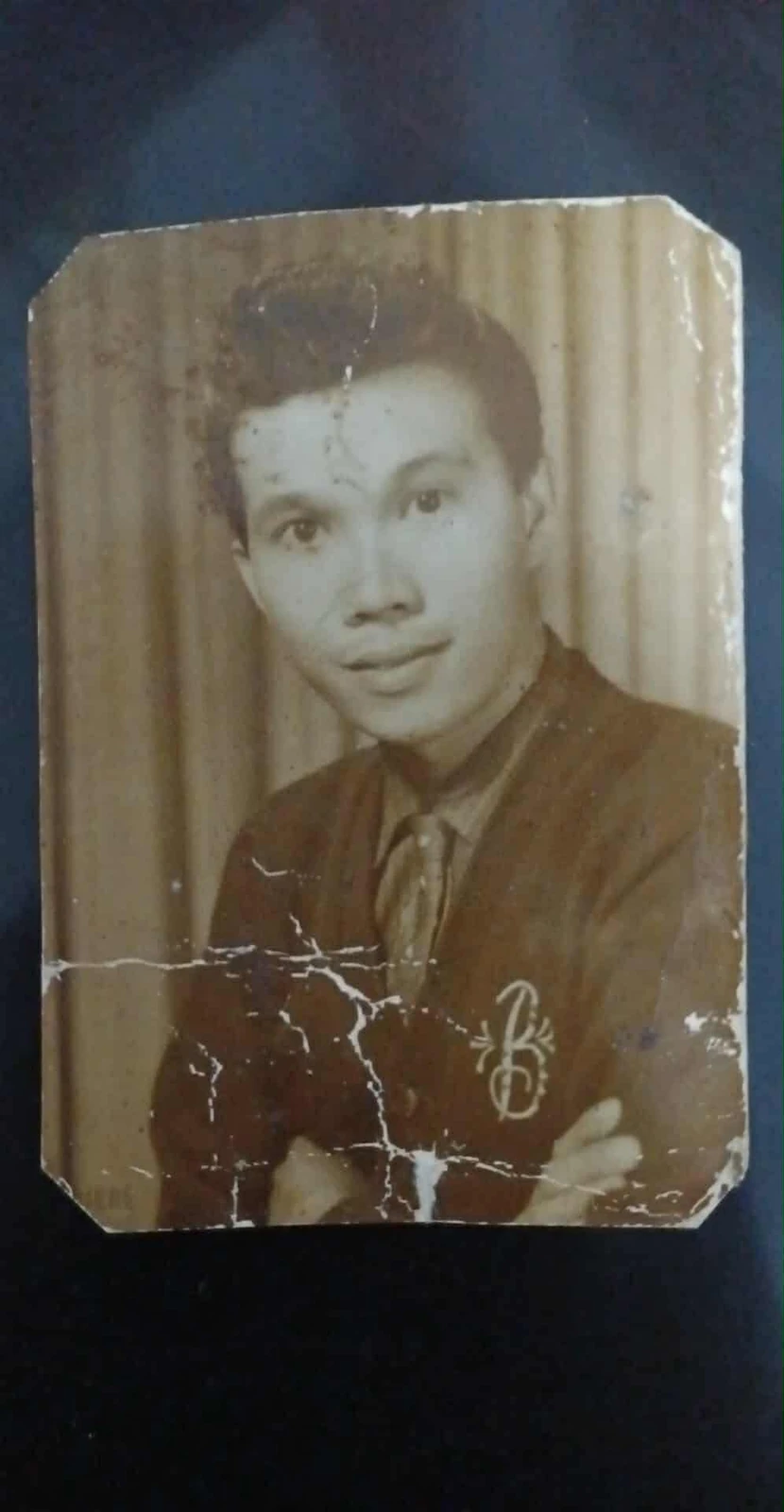
This selected ImageRestoreAI result illustrates both repair and reconstruction. It is not a competitor comparison or a guarantee. Look at the cardigan, face and original border, then use the same checks on your own preview.
Original scan
AI restoration
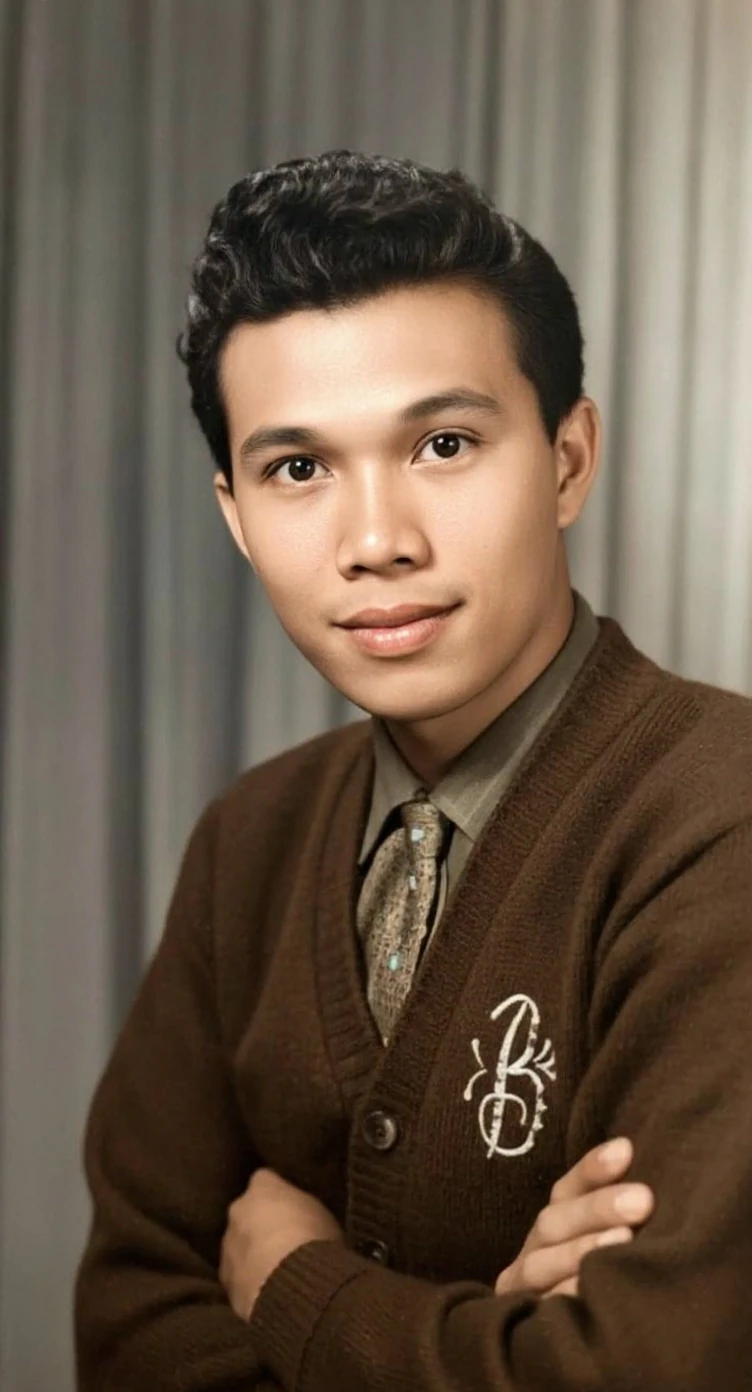
Cracks across a portrait print · Real customer example
Bright branching cracks cross the lower half of this portrait, interrupting the cardigan and folded arms. The AI result replaces those broken areas with continuous fabric and skin detail and adds color. The worn print outline and surrounding dark backing are absent from the result.
What to check: The repaired fabric, hands, colors and fine facial detail are inferred. The output also changes the framing; it does not reproduce the original print border.
Published with permission. Full framing retained; original and result may have different proportions. Reviewed September 10, 2026.
See the reviewed gallery and more damage types →Separate free previews from paid downloads, bundle prices from per-photo quotes, and digital repair from scanning or physical conservation.
Read the restoration cost guide →How to assess restoration reviews →Get an ImageRestoreAI preview, compare it with your original and review the purchase options if the result suits you. Processing time and results vary.
Preview my photo restoration
Drag & drop or click to select • JPG, PNG, WebP, HEIC
Free preview · Paid access to the restored result